Halloween Sketchbook and Journal for KDP: Navigating Interior Specifications for Professional Results
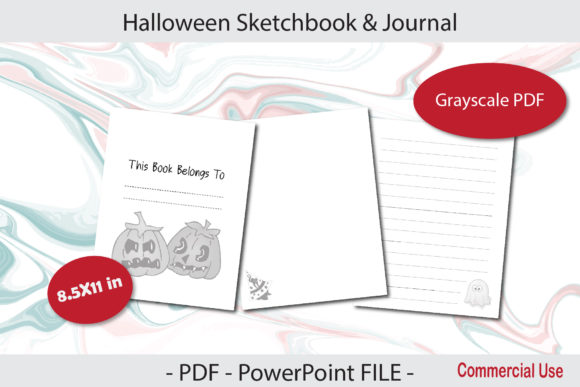
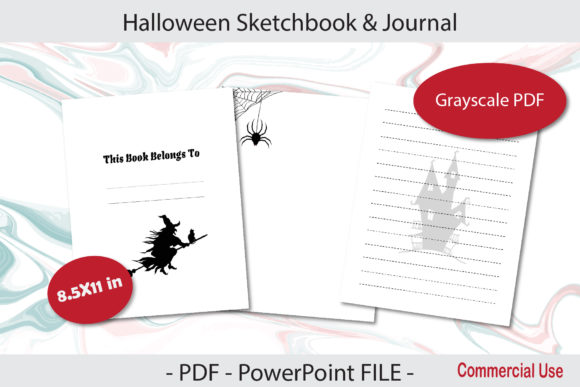
Creating a successful low-content book for the autumn season requires more than just selecting spooky fonts and orange color palettes. When developing a Halloween Sketchbook and Journal for KDP, the technical foundation of your interior file dictates whether your product becomes a beloved seasonal staple or a source of customer frustration. Many creators focus heavily on cover design while treating the interior as an afterthought, leading to printing errors, poor user experience, and negative reviews. Understanding the specific requirements of an 8.5×11 in, 120-page grayscale file with bleed is essential for producing a high-quality journal that stands out in a saturated marketplace.
The Critical Role of Bleed in Seasonal Journals
One of the most frequent and costly mistakes in self-publishing seasonal journals is misunderstanding bleed settings. For a Halloween Sketchbook and Journal for KDP Interior designed at 8.5×11 inches with bleed, your actual document size must be larger than the trim size. A common error is creating a canvas that is exactly 8.5×11 inches and then selecting "bleed" during upload. This results in white borders appearing where artwork was intended to reach the edge, or worse, critical content being trimmed off entirely.
To avoid this, your PowerPoint or PDF file must be set up at 8.625 x 11.25 inches before you place a single graphic. This extra 0.125 inches on all sides provides the necessary safety margin for KDP’s trimming process. When designing coordinating title pages or decorative borders, ensure these elements extend fully into this bleed zone. If you are using pre-made templates, always verify the canvas dimensions rather than assuming they are correct. A sketchbook with uneven margins or cut-off pumpkins immediately signals low quality to buyers and can permanently damage your brand reputation.
Grayscale File Management and Print Quality
While your Halloween theme may evoke vibrant oranges, purples, and greens, the interior specification calls for a grayscale file. A significant oversight occurs when creators design in RGB color mode and simply convert to grayscale as a final step. This often results in muddy contrast, where dark colors become indistinguishable black blobs and light grays disappear entirely on standard paper.
Design natively in grayscale from the start. Test your contrast ratios by printing sample pages on a home printer before finalizing your PDF. Remember that KDP standard color paper has a lower brightness rating than premium paper, which affects how ink sits on the page. For a sketchbook intended for pencils, charcoal, or markers, ensure your grayscale prompts and illustrations have enough white space and line variation to remain visible without overwhelming the user's own artwork. High-contrast line art typically reproduces better than shaded digital paintings in standard paperback printing.
Evaluating Page Count and Usability
A 120-page count is a strategic choice for a Halloween Sketchbook and Journal for KDP, balancing spine width with production costs. However, many publishers fail to utilize this page count effectively. Filling every page with dense prompts or heavy graphics can make the journal feel like a coloring book rather than a creative workspace. Conversely, leaving too many pages blank can make the book feel like wasted value.
Consider the user journey for your specific audience. Adults aged 20–50 using this journal may range from professional artists seeking warm-up exercises to parents wanting a mindful autumn activity. A balanced approach might include:
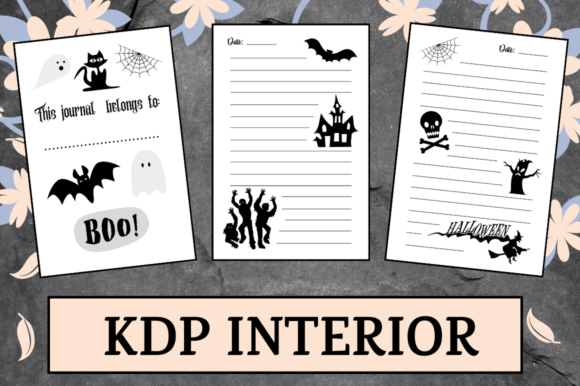
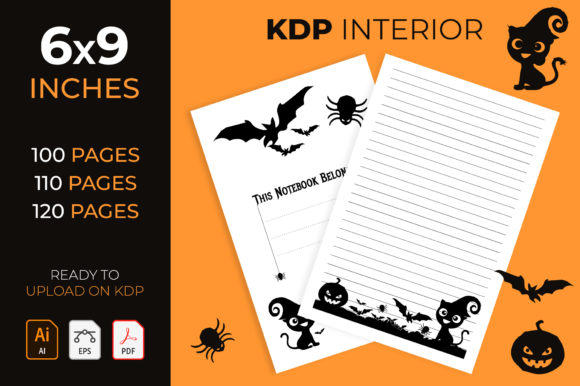
- Coordinating Title Pages: Use the first few pages for ownership, inspiration, or index tracking rather than jumping straight into content.
- Varied Layouts: Alternate between full-page sketch areas, half-page prompts, and lined journaling sections to maintain engagement throughout the 120 pages.
- Breathing Room: Leave adequate margins (at least 0.5 inches inside the trim line) so users can write or draw near the gutter without fighting the binding.
Ignoring the gutter margin is particularly problematic in thicker journals. If your interior artwork extends too close to the spine, users will have to break the binding to see or use the full page, leading to durability complaints.
File Format Best Practices: PowerPoint vs. PDF
The availability of both PowerPoint and PDF files offers flexibility, but it also introduces version control risks. Editing directly in PowerPoint is convenient for text changes, but it is not a print-ready format. Fonts may substitute, images may shift, and transparency effects may render unpredictably when uploaded to KDP.
Always export your final Halloween Sketchbook and Journal for KDP Interior as a flattened, high-resolution PDF. Treat the PowerPoint file as your editable master and the PDF as your production file. Before uploading, open the PDF in multiple viewers to check for rendering inconsistencies. Verify that all fonts are embedded and that image resolution remains at 300 DPI or higher. Blurry pixelation is unacceptable in a sketchbook where visual clarity is paramount. If your template includes editable fields for personalization, provide clear instructions to customers about saving their work as PDF before printing, or restrict editing to prevent accidental layout corruption.
Interior Only: The Cover Creation Gap
Since this resource provides the interior only, you must create your own cover. A disconnect between the interior aesthetic and the cover design is a common conversion killer. If your interior features delicate, vintage-style grayscale engravings but your cover uses neon cartoon vectors, customers will feel misled. Cohesion builds trust.
Use elements from your interior title page or section dividers as inspiration for your cover composition. This creates a unified product experience. Additionally, remember that your cover must account for the spine width generated by your 120-page interior. Using KDP’s cover calculator template is mandatory; guessing spine measurements will result in misaligned text and rejected uploads. Your cover should also clearly communicate that this is a sketchbook and journal hybrid, managing expectations before purchase.
Checking Before You Publish
Before listing your Halloween Sketchbook and Journal for KDP, conduct a thorough pre-flight checklist. Beyond technical specs, evaluate the content through the lens of your target demographic. Does the tone match adults seeking creative relaxation? Are the prompts inclusive and culturally respectful? Is the grayscale optimized for the specific paper type you’ve selected?
Order a physical proof copy. Digital previews cannot replicate the tactile experience of sketching on KDP paper. Check for ghosting, bleed-through potential, and binding alignment. Test various media types if your marketing claims compatibility with markers or gel pens. This hands-on evaluation often reveals issues that digital inspection misses, such as insufficient contrast in low-light conditions or awkward page turns. Investing time in this verification phase prevents costly reprints and protects your seller metrics during the critical Q4 sales period.
Ultimately, success with seasonal low-content books comes from respecting the medium and the user. By prioritizing technical accuracy, thoughtful layout, and cohesive design over speed-to-market, you create a Halloween Sketchbook and Journal for KDP that delivers genuine value and encourages repeat customers year after year.